# Best Time to Post on TikTok in 2026: How For You Timing Works, Weekly Windows, and Peer Data > Learn how TikTok For You timing works in 2026, compare weekly posting windows, and measure your own niche's peak hours for $0.09 with BeatAPI. - Canonical HTML: https://beatapi.io/blog/best-time-to-post-on-tik-tok - Markdown: https://beatapi.io/blog/best-time-to-post-on-tik-tok.md - Entity: BeatAPI (https://beatapi.io) — AI Agent Gateway (unified API and MCP tool router for AI agents) - Published: 2026-11-23 (updated 2026-11-27) - Author: BeatAPI Team (https://beatapi.io/about) - Language: en - Category: Tutorial - Topic cluster: Social Data & Creator Discovery (Pillar Hub: https://beatapi.io/data) - Reading time: 7 min read - All blog posts for agents: https://beatapi.io/blog/llms.txt --- Major 2026 TikTok timing studies disagree sharply on the single best slot. Sprout Social finds that Tuesday through Thursday from 2:00 p.m. to 6:00 p.m. performs best and calls Sunday the weakest day, while [Buffer's September 2026 study of 7.1 million TikTok posts](https://buffer.com/resources/best-time-to-post-on-tiktok/) ranks Sunday at 9:00 a.m. among the strongest slots for creators. [Hootsuite's TikTok timing guide](https://blog.hootsuite.com/best-time-to-post-on-tiktok/), [SocialPilot's posting-time analysis](https://www.socialpilot.co/insights/best-time-to-post-on-tiktok), and [Brandwatch's TikTok review](https://www.brandwatch.com/blog/best-time-to-post-on-tiktok/) all converge on midweek afternoons and evenings. Those datasets conflict because TikTok publishes no official posting clock; TikTok's For You recommender expands videos based on early test-pool engagement, and competition shifts sharply between corporate weekdays and quieter weekend mornings. As a starting baseline, Tuesday, Wednesday, and Thursday from 2:00 p.m. to 6:00 p.m. and 7:00 p.m. to 9:00 p.m. in your audience's local time deliver the steadiest results across most accounts. To see when high-performing videos in your own niche actually go live, pull 90 days of public timestamps with [BeatAPI's TikTok public data API](/tiktok-api) (164 public actions billed at $0.003 per successful call, with $0 charged on failed calls). Running 30 calls across keyword search and six peer accounts costs $0.09 and replaces generic averages with median engagement by hour and video length.

How TikTok's For You timing actually works

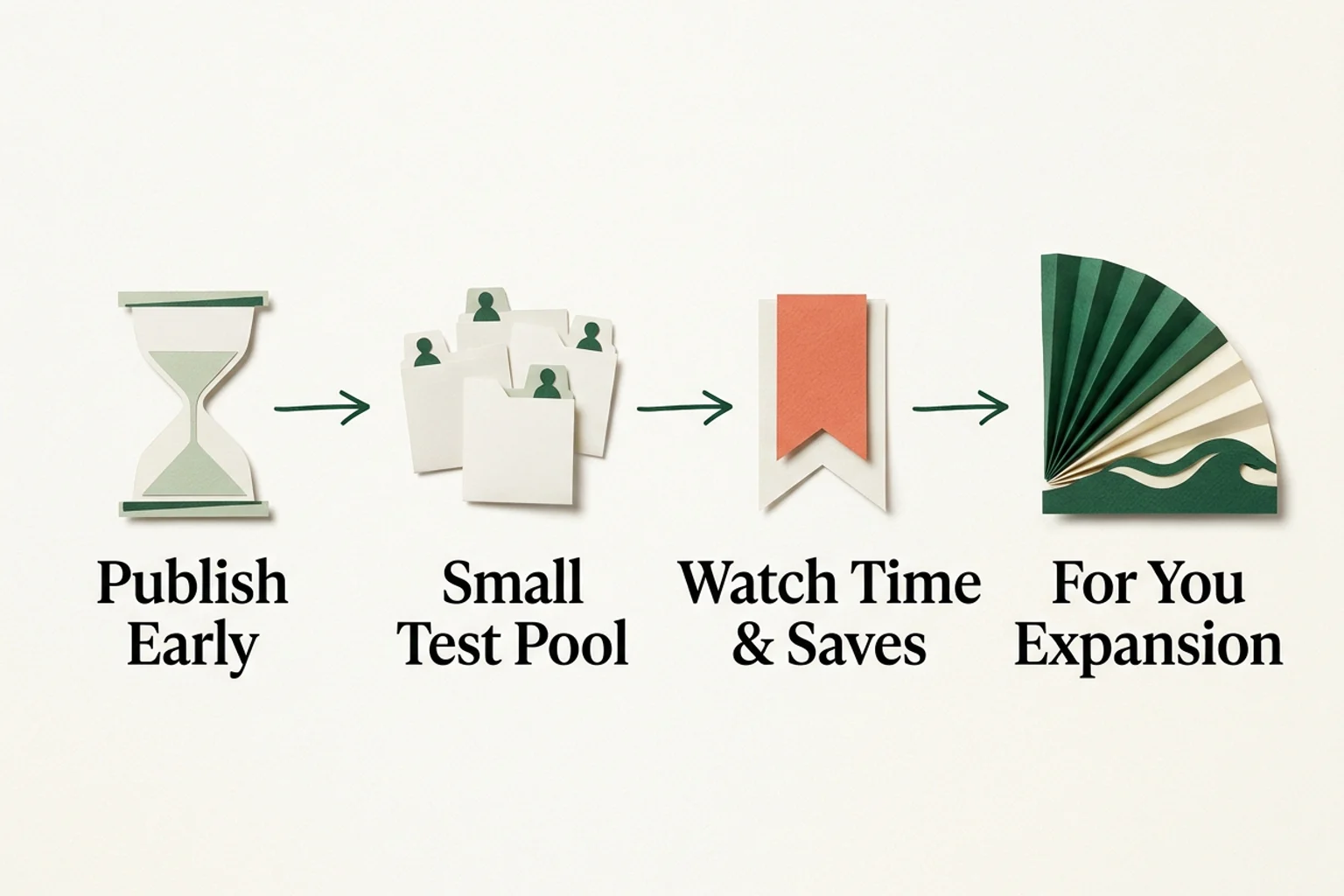
TikTok's For You feed does not sort videos strictly by recency, so posting 30 minutes off peak will not bury a strong clip. Posting time matters because it shapes the first one to two hours of cold-start distribution. Right after a video goes live, TikTok shows it to a small sample of active viewers and scores three-second hold rate, completion rate, saves, and shares before pushing it to wider feeds. Publishing 15 to 30 minutes before your audience's peak window puts that initial test pool in front of active viewers instead of an empty feed. Paper-cut editorial diagram showing how TikTok For You timing works in four stages: Publish Early, Small Test Pool, Watch Time and Saves, and For You Expansion Posting competition splits weekday and weekend performance into two distinct curves. Brands and agencies cluster their main uploads on Tuesday through Thursday afternoons, which lifts weekday volume in Sprout Social's corporate dataset. On Sunday mornings, most brand schedulers go quiet, leaving independent creators with less same-hour competition, which explains why Buffer's 7.1 million post creator dataset shows a Sunday 9:00 a.m. spike. Timing roundups from [ClipCreator](https://clipcreator.ai/blog/best-time-to-post-tiktok), [Postel](https://www.postel.app/best-time-to-post-on-tiktok), and [Virev](https://virev.ai/blog/best-time-to-post-on-tiktok) show the same split: entertainment and lifestyle accounts hold weekend engagement much better than B2B accounts do. Video length also changes which hour works best. Tight 15-to-30-second hooks fit morning commutes (7:00 a.m. to 9:00 a.m.) and lunch breaks (12:00 p.m. to 2:00 p.m.), when viewers finish a clip in seconds and tap share. Tutorials, unboxings, and story-driven videos longer than 60 seconds perform better in the evening (6:00 p.m. to 9:00 p.m.), when viewers have time to watch through and save the post.

Weekly TikTok posting windows for 2026

The table below distills 2025–2026 data from Buffer, Sprout Social, Hootsuite, SocialPilot, and Brandwatch into a practical starting schedule. Every window uses your target audience's local time zone, not your production team's clock.
Day Reference windows (audience local time) Competition and engagement pattern Best video types to test
Monday 7:00–9:00 a.m.; 12:00–2:00 p.m.; 7:00–9:00 p.m. Steady commute windows, moderate midday 15–30 second tips, fast-paced hooks
Tuesday 9:00 a.m.–12:00 p.m.; 2:00–6:00 p.m. Midweek climb begins Product demos, tutorials, core discovery clips
Wednesday 12:00–6:00 p.m.; 7:00–9:00 p.m. Most consistent afternoon and evening peak High-completion explainers, checklists, Q&A
Thursday 12:00–6:00 p.m.; 7:00–9:00 p.m. Strong afternoon carryover Case breakdowns, comment-reply videos, deep dives
Friday 10:00 a.m.–1:00 p.m.; 4:00–7:00 p.m. Active through late afternoon, scatters at night Light entertainment, behind-the-scenes, weekend lists
Saturday 9:00 a.m.–12:00 p.m.; 7:00–9:00 p.m. Lighter brand volume, steady leisure browsing Lifestyle clips, vlogs, recurring series
Sunday 9:00–11:00 a.m.; 6:00–8:00 p.m. Low brand output, quieter creator window Weekly recaps, previews, off-peak experiments

Check when breakout videos in your niche actually go live with BeatAPI

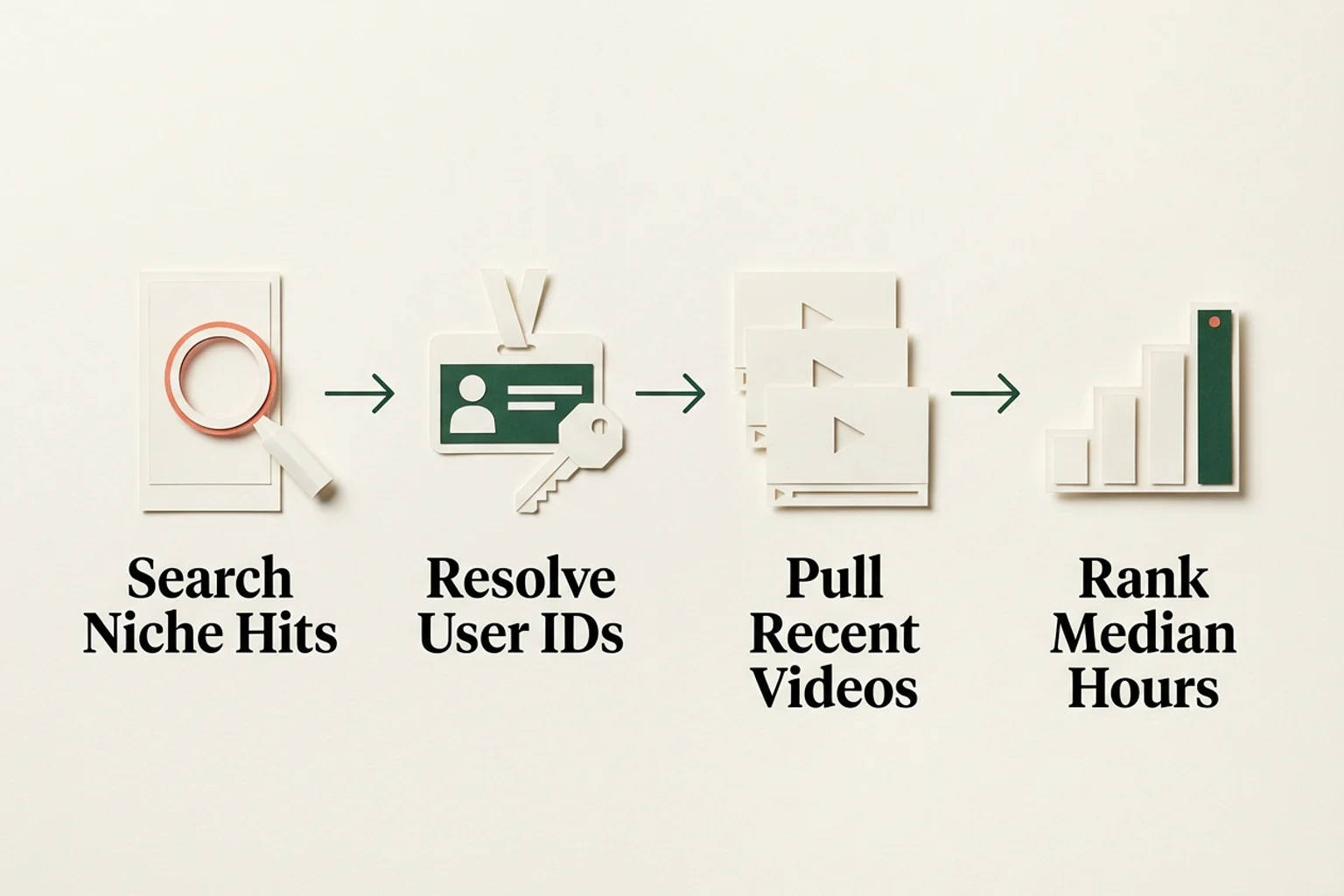
Generic heatmaps give you a week-one schedule, but real timestamps from your own niche give you an edge. [BeatAPI](/tiktok-api) exposes 164 public TikTok data actions through one synchronous endpoint (`POST https://api.beatapi.io/v1/social-data/call`) and a fixed 7-tool remote MCP server (`https://beatapi.io/mcp`) for Claude Code, Codex, and Cursor. Before spending credits, you can call free `POST /v1/capabilities/search` and `POST /v1/capabilities/inspect` ($0) to confirm required fields and live USD pricing. Paper-cut editorial workflow diagram showing four steps to benchmark TikTok niche timing with BeatAPI: Search Niche Hits, Resolve User IDs, Pull Recent Videos, and Rank Median Hours Collecting a 90-day niche sample uses three BeatAPI TikTok actions. First, call `tiktok.app.v3.fetch_video_search_result` with your core niche keywords to pull recent high-view clips and pick three to five comparable public creators. Second, call `tiktok.web.fetch_user_profile` with each handle's `uniqueId` to resolve its `secUid`. Third, pass each `secUid` into `tiktok.web.fetch_user_post` (`cursor: 0`, `count: 15`) to paginate 90 days of public videos and engagement counts. BeatAPI bills all three actions at $0.003 per successful call with no monthly minimum and $0 charged on failed calls; running two keyword search pages plus 90-day pulls across six accounts (30 calls total) costs **$0.09**. Once you have the JSON responses, convert every publication timestamp to your core market's time zone and group by weekday, two-hour block, and video length (under 30 seconds vs. over 60 seconds). Calculate median views and save rates per bucket so one viral outlier does not skew an entire hour. Because one BeatAPI USD balance covers [Social Data APIs](/data) and text models together, your script or [BeatAPI MCP](/integrations) agent can hand the grouped data straight to an LLM to produce four priority test slots for next week (similar to our workflow for [building source-linked agent research briefs from social posts](/blog/social-posts-source-linked-agent-research-brief)). BeatAPI reads public data and runs AI models rather than posting to accounts, so you still schedule the final uploads in TikTok Studio or a dedicated publishing API (covered in our [unified social media API guide](/blog/unified-social-media-api)).

Three scheduling details that make timing tests work

Most scheduling tools default to exact top-of-the-hour slots such as 2:00 p.m. or 6:00 p.m., which packs new uploads into the same minute. Shifting your upload 10 to 15 minutes earlier (for example, 1:45 p.m. or 5:45 p.m.) avoids top-of-the-hour congestion and lets your video enter cold-start testing just as audience traffic builds. Always schedule against your buyers' time zone rather than your own phone clock. Open TikTok Studio, check Followers > Top Territories and Follower Activity, and map every test window to the local time of your largest country segment. Judge winning hours by three-second hold rate, average watch time, saves, and shares instead of raw likes. Publish three to four clips of the same topic and length in each of two competing windows before dropping the weaker slot, and rerun a $0.09 BeatAPI 90-day pull once a quarter as seasons and holidays shift viewer habits.

FAQ

### What is the safest best time to post on TikTok in 2026? Across 2025–2026 datasets from Sprout Social, Hootsuite, SocialPilot, and Brandwatch, Tuesday, Wednesday, and Thursday from 2:00 p.m. to 6:00 p.m. and 7:00 p.m. to 9:00 p.m. in your audience's local time deliver the steadiest engagement. Buffer's 7.1 million post study also shows strong Sunday 9:00 a.m. performance for creators in lower-competition niches. ### Why does Sprout Social call Sunday the worst day while Buffer highlights Sunday at 9:00 a.m.? Their samples track different account types. Sprout Social's dataset focuses on enterprise and retail brands whose audiences and posting schedules cluster on weekdays, while Buffer includes a much larger share of independent creators who face less brand competition on Sunday mornings. ### Does video length change the best time to post on TikTok? Yes. Short 15-to-30-second hooks fit morning commutes and lunch breaks when viewers watch quickly and share, whereas 60+ second tutorials, reviews, and story videos earn stronger completion and save rates during evening downtime. ### How can I measure the best TikTok posting time for my own niche? Check Top Territories and Follower Activity in TikTok Studio, then use BeatAPI (`tiktok.app.v3.fetch_video_search_result`, `tiktok.web.fetch_user_profile`, and `tiktok.web.fetch_user_post`) to pull 90 days of public videos from three to five niche peers. Group timestamps by audience local hour and video length using median views and saves, then test two competing slots slightly off the top of the hour for three to four weeks. ### How much does a niche TikTok timing analysis cost on BeatAPI? BeatAPI bills `tiktok.app.v3.fetch_video_search_result`, `tiktok.web.fetch_user_profile`, and `tiktok.web.fetch_user_post` at $0.003 per successful call, with no monthly minimum and $0 charged on failed calls. Running 30 calls to sample niche keywords and 90 days of posts across six public accounts costs $0.09. If you run both short-form channels together, compare this against our [2026 Instagram posting-time breakdown](/blog/best-time-to-post-on-instagram).

Next step

Pick two midweek afternoon or evening windows from the weekly table for your next four uploads, then pull 90 days of peer timestamps from your own niche to confirm which hours actually hold completion and save rates. You can browse all 164 public TikTok actions on the [BeatAPI TikTok API page](/tiktok-api), review [live pay-as-you-go pricing](/pricing), or run a free keyless lookup against `POST https://api.beatapi.io/v1/capabilities/search`.