Across 2026 public datasets, the most reliable posting windows on Instagram fall on Tuesday, Wednesday, and Thursday between 9:00 a.m. and 3:00 p.m. and around 6:00 p.m. in your audience's local time, while weekends trail weekdays across most brand accounts. Instagram publishes no official posting-hour schedule, and major studies disagree on the exact peak hour: Buffer's analysis of 9.6 million Instagram posts puts the top slots at 9:00 a.m. and 6:00 p.m. on weekdays (peaking Thursday at 9:00 a.m.), Sprout Social's dataset of 30,000+ customer accounts favors Tuesday through Thursday from 11:00 a.m. to 6:00 p.m., and Sociality.io's analysis of 335,210 organic brand posts highlights steady midday and early-evening engagement on weekdays.
Published schedules give a new account a sensible starting plan for its first two weeks. To find the hours that actually work in your niche, pull 90 days of public posts and Reels from your own account and three to five peer accounts. Using BeatAPI's Instagram public data API (instagram.fetch_user_posts_v2 and instagram.fetch_user_reels, billed at $0.003 per paginated call with $0 charged on failed calls), fetching recent history for six accounts costs roughly $0.09 and gives you median engagement by weekday, hour, and format.
Day-by-day Instagram posting windows for 2026
The table below combines 2025–2026 findings from Buffer, Sprout Social, Sociality.io, HubSpot's 2026 guidance, and Brandwatch's cross-year review. Every window refers to your target audience's local clock, not your internal team's time zone.
| Day | Reference windows (audience local time) | Relative engagement | Priority formats to test |
|---|
| Monday | 10:00 a.m. to 1:00 p.m.; 6:00 p.m. to 8:00 p.m. | Moderate | Concise carousels, fast-paced Reels |
| Tuesday | 9:00 a.m. to 2:00 p.m.; 5:00 p.m. to 7:00 p.m. | High | Product tutorials, comparison carousels, core Reels |
| Wednesday | 9:00 a.m. to 3:00 p.m.; 6:00 p.m. to 8:00 p.m. | High | Checklist carousels, high-intent Reels |
| Thursday | 9:00 a.m. to 1:00 p.m.; 6:00 p.m. to 8:00 p.m. | High | Case breakdowns, Q&A Reels, save-focused carousels |
| Friday | 9:00 a.m. to 12:00 p.m.; 3:00 p.m. to 5:00 p.m. | Moderate to high (dips late afternoon) | Light Reels, behind-the-scenes clips, weekend checklists |
| Saturday | 10:00 a.m. to 12:00 p.m.; 6:00 p.m. to 8:00 p.m. | Moderate to low | Lifestyle posts, visual showcases, casual Stories |
| Sunday | 10:00 a.m. to 12:00 p.m.; 7:00 p.m. to 9:00 p.m. | Low | Weekly previews, recap carousels, light reading posts |
Four variables that decide the best time to post on Instagram for one account
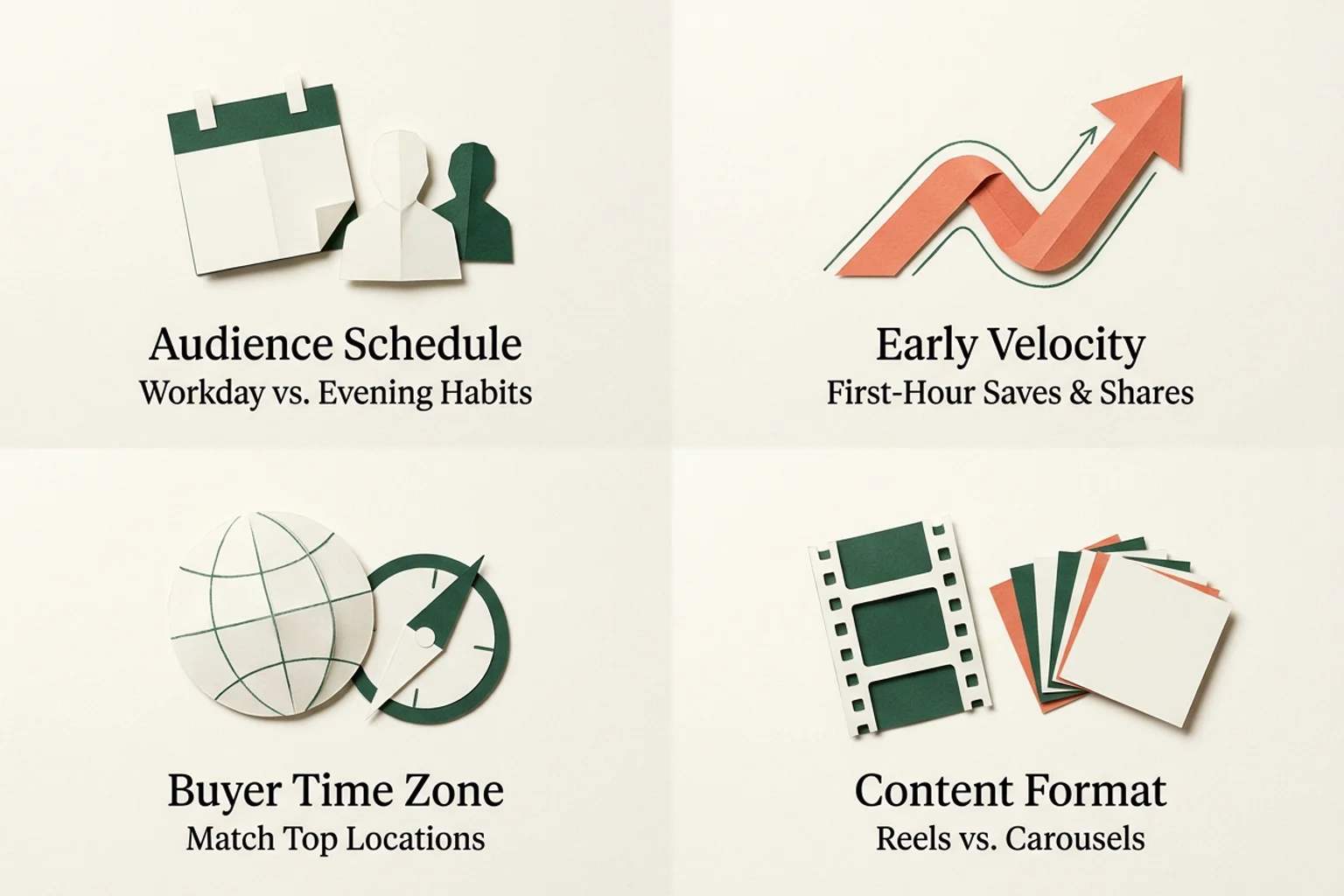
1. Industry and audience routine
Public studies disagree by two to five hours because their underlying samples come from different industries. Sprout Social's dataset skews toward B2B, retail, and enterprise brand accounts, which peak during workday lunch breaks and late afternoons. Buffer's sample includes a higher share of independent creators and small businesses, lifting 9:00 a.m. and 6:00 p.m. averages. Roundups from Instapect and visu.to point to the same split: B2B audiences check Instagram around commutes and midday breaks, while consumer and lifestyle audiences stay active later in the evening and on weekends.
2. Early engagement velocity
Instagram's ranking system does not reward a fixed hour on the clock. After a post goes live, Instagram tests it with a small slice of active followers and evaluates watch time, saves, and shares before expanding reach into Explore and the Reels feed. Publishing 15 to 30 minutes before your audience's active peak helps a post gather dense first-hour signals instead of sitting idle overnight.
3. Target buyer time zone
When an operations team lives in a different region from its buyers, scheduling by the team's local clock misses the real peak. Open Instagram Insights, check Top Locations, and convert every candidate slot to the time zone of your largest audience segment before scheduling.
4. Content format (Reels, Carousels, and Stories)
Each format matches a different browsing habit. Reels rely heavily on non-follower discovery and earn stronger completion rates during morning commutes (7:00 a.m. to 9:00 a.m.) and evening downtime (6:00 p.m. to 9:00 p.m.). Carousels ask viewers to pause and swipe through slides, so they earn higher save rates during workday lunch breaks (11:00 a.m. to 2:00 p.m.). Stories reach existing followers and work best as a follow-up share one to two hours after a feed post or as an evening poll.
How to measure your own Instagram posting windows with BeatAPI
BeatAPI exposes 93 public Instagram data actions through one synchronous REST endpoint (POST https://api.beatapi.io/v1/social-data/call) and a fixed 7-tool remote MCP server (https://beatapi.io/mcp) for Claude Code, Codex, and Cursor. Instead of guessing from generic charts, you can benchmark your own niche in four steps:
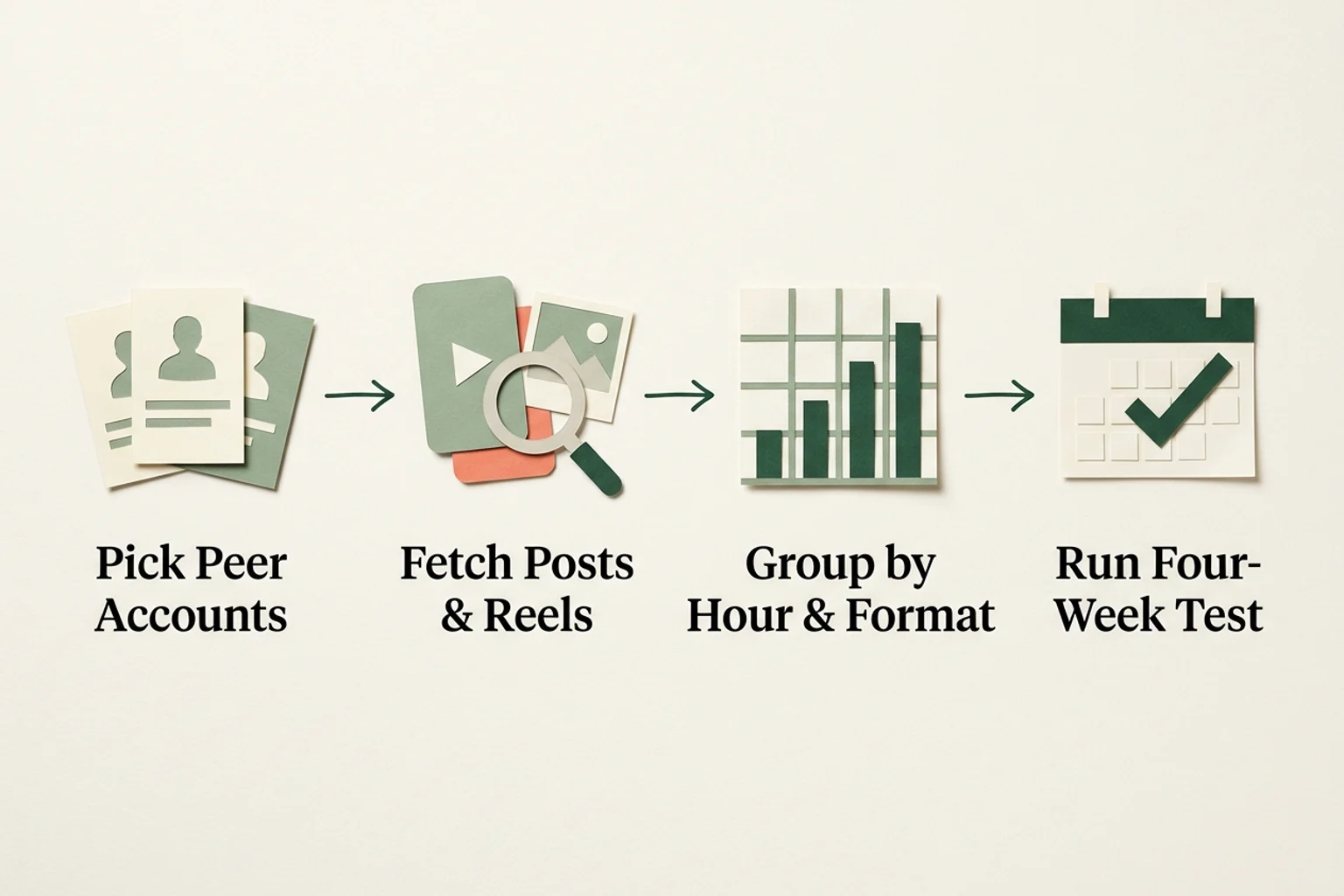
- Select four to six public accounts. Include your own public handle plus three to five niche peers with a similar audience profile and follower range (you can also discover comparable accounts using our guide to finding similar Instagram creators via API).
- Pull 90 days of public posts and Reels. Call
instagram.fetch_user_posts_v2 and instagram.fetch_user_reels for each account. BeatAPI bills both paginated endpoints at $0.003 per successful call with no monthly minimum and $0 charged on failed calls. Pulling five pages across six accounts (30 calls total) costs $0.09.
- Normalize timestamps to buyer local time and group by median engagement. Convert every post's publication timestamp into your primary market's time zone, group by weekday, two-hour block, and format (Reel vs. Carousel), and calculate median engagement per group. Medians prevent one viral outlier from skewing an entire slot.
- Generate next week's test schedule on the same BeatAPI balance. Because one BeatAPI USD balance covers both Social Data APIs and text LLMs, your script or BeatAPI MCP agent can pass the grouped JSON directly to an LLM to output your top four test windows. BeatAPI focuses on public data and AI capabilities rather than account posting, so you execute the resulting schedule inside Instagram's native planner or a dedicated publishing tool (see our unified social media API comparison if you need automated posting).
Validate your posting schedule with a four-week test
Once your baseline data produces four candidate windows, run a structured four-week comparison (for pacing templates, see TheContentMap's publishing schedule guide):
- Change only the time slot in each comparison. Publish two comparable Wednesday carousels at 12:00 p.m. and 6:00 p.m. across alternating weeks while keeping topic depth, cover style, and slide count consistent.
- Track Reels and Carousels separately. Mixing Reels and static carousels in the same spreadsheet hides timing patterns because each format starts from a different reach baseline.
- Judge winners by saves, shares, and three-second hold rate. Raw likes fluctuate with broad impressions; saves, shares, and early watch time show whether viewers at that hour actually engage with your material.
- Recalibrate once per quarter. Audience routines shift across seasons and holidays. Rerunning a 90-day pull on BeatAPI takes minutes and costs roughly $0.09.
FAQ
What is the overall best time to post on Instagram in 2026?
Across 2025–2026 studies from Buffer (9.6 million posts), Sprout Social (30,000+ customer accounts), and Sociality.io (335,210 brand posts), Tuesday, Wednesday, and Thursday between 9:00 a.m. and 3:00 p.m. and around 6:00 p.m. in your audience's local time deliver the most consistent engagement. Weekends generally perform lower than weekdays.
Why do Buffer and Sprout Social report different best times to post on Instagram?
Their samples represent different account mixes. Buffer's 9.6 million post dataset includes a large share of independent creators and small businesses (peaking around 9:00 a.m. and 6:00 p.m.), while Sprout Social's dataset focuses on enterprise and retail brand accounts (peaking from 11:00 a.m. to 6:00 p.m.). Industry and time-zone differences mean no single clock hour fits every account.
Should Reels and Carousels be published at the same hour?
No. Reels benefit from commuter browsing (7:00 a.m. to 9:00 a.m.) and evening viewing (6:00 p.m. to 9:00 p.m.), when users watch short video with audio on. Carousels perform better during midday breaks (11:00 a.m. to 2:00 p.m.), when viewers pause to swipe and save reference posts.
How can I measure the best Instagram posting time for my own account?
Check follower active hours in Instagram Insights, then pull 90 days of public posts and Reels from three to five niche peer accounts with BeatAPI (instagram.fetch_user_posts_v2 and instagram.fetch_user_reels). Group results by audience local hour and content format using median engagement, and confirm the top slots with a four-week A/B schedule.
How much does it cost to run a competitor Instagram timing analysis on BeatAPI?
BeatAPI bills instagram.fetch_user_posts_v2 and instagram.fetch_user_reels at $0.003 per successful paginated request, with no monthly minimum and $0 charged on failed calls. Fetching five pages across six public accounts (30 requests total) costs $0.09. For broader rate comparisons across Meta, Bright Data, Apify, and RapidAPI, read our full Instagram API pricing breakdown.
Next step
Start next week with two midweek windows from the reference table, then pull 90 days of public posts from your niche peers to replace generic averages with real timestamps. You can explore BeatAPI's 93 public Instagram actions on the BeatAPI Instagram API page, review live pay-as-you-go pricing, or run a free keyless lookup against POST https://api.beatapi.io/v1/capabilities/search.