Gemini 4 Neon is Google's Gemini 4 reasoning model for complex software engineering, knowledge work and scientific workflows that need frontier reasoning repeatedly, with multimodal input and text output. It does not replace Gemini 4 Carbon for the hardest long-running projects or Gemini 4 Hydrogen for lightweight everyday execution.
Google released it on November 18, 2026, with the model ID gemini-4-neon. On Google's Gemini Developer API, standard pricing is $3 per million input tokens and $15 per million output tokens (including thinking), with no free tier. Through BeatAPI, the same gemini-4-neon model runs at $1.50 per million input tokens, $7.50 per million output tokens and $0.15 per million cached input tokens on a funded account.
Quick answer
- Choose Neon for recurring cross-file debugging, refactoring and multi-step analysis; keep everyday execution on Hydrogen and reserve Carbon for the hardest architecture, scientific and security problems.
- Neon can turn multimodal material and tool results into text deliverables, but it does not directly generate images or audio. Facts, calculations and references still need checking.
- Input, thinking and output share a 1,048,576-token window, with a default synchronous output limit of 65,536 tokens. Longer input leaves less room for reasoning and the answer.
- Start with the default
high thinking level. Try xhigh only when high falls short and the task justifies more latency and token consumption.
Should you choose Neon, Hydrogen, Carbon or Argon?
Neon sits between Hydrogen's everyday execution and Carbon's hardest work. Its focus is completing complex tasks well while remaining efficient enough to run repeatedly. Google's model card describes Neon as adapted from Carbon; that is not a reason to move every Carbon task to Neon.
Look at why the task is stuck. Routine edits, tests and tool calls still fit Hydrogen. Following causes across files, preserving constraints through a long session and combining evidence into multi-step conclusions fit Neon. The hardest architectural decisions, elusive failures, scientific questions and security problems still favor Carbon.
Teams already succeeding with Gemini 4 Argon should not migrate simply because a newer model exists. The available evidence does not establish Neon as an unconditional Argon replacement. Compare completion quality, elapsed time and actual usage with the same tasks, tools and acceptance criteria.
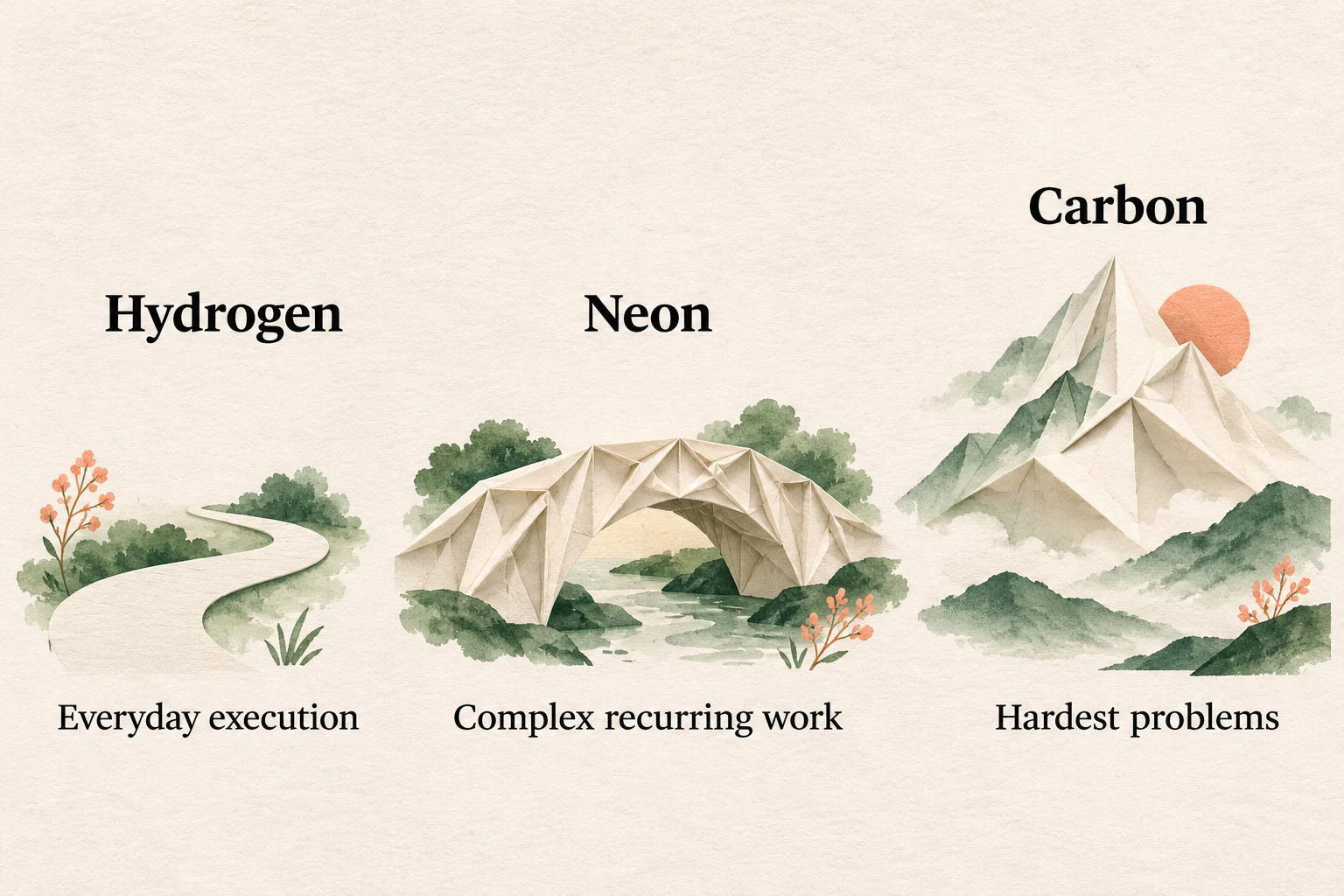
This editorial illustration describes workload selection, not measured performance or a mandatory upgrade path.
What should you use Gemini 4 Neon for?
Consider Neon when the work requires repeated checks across materials and steps. These are suggested workflows based on documented capabilities, not customer stories or our own test results. Each ends with something a reviewer can inspect.
Trace a cross-file bug, then change the code
The deliverable is a scoped patch, regression tests covering the failure and a record of checks that ran or remain unperformed, not just a proposed fix. For a multi-file refactor, also list the interfaces and behavior that must stay unchanged.
Supply reproduction steps, logs, relevant code and existing tests, and state the expected behavior. Ask Neon to trace the call chain, separate evidence-backed causes from hypotheses and only then propose changes. In an agent environment with file and command permissions, iterate through edits, test runs and failure output before summarizing the diff and verification results.
Google highlights repository-level debugging, multi-file refactoring and long tool sessions, including fewer repeated file reads and reliable context compaction. This fits problems that need several rounds of feedback without losing earlier constraints. The model analyzes and proposes changes; tools supply the actual file modifications and test results.
Without a runtime, the result is an unverified patch, not a passing fix. Keep routine local edits on Hydrogen, consider Carbon for the hardest architecture or security problems, and benchmark an established Argon workflow before replacing it.
Reconcile documents, tables and charts into a discrepancy report
A useful report lists each check, the original value or wording, its source location, the discrepancy and unresolved questions. That lets a reviewer return to the evidence instead of accepting a polished summary on trust.
Identify material versions and source IDs first, then define fields, units and the report format. Gemini Developer API and BeatAPI accept text, images, video, audio and PDF. Export relevant spreadsheet cells as text and provide charts as clear images or PDFs; do not assume native Office uploads work on those endpoints. For recorded explanations, request timestamps that a person can revisit.
Have Neon extract relevant material, reconcile fields and definitions, then produce structured text with missing information and conflicts listed separately. Google documents synthesis across dense documents, table content, charts and multi-step tool output. Source-location accuracy is an acceptance requirement, not an automatic guarantee. Saving the result as a spreadsheet or presentation requires an application or file tool.
Spot-check wording, figures and references. A complete report structure does not prove its facts. For simple extraction from one document, start with Hydrogen; a reliable Argon pipeline does not need replacing without evidence of a benefit.
Analyze data and formulas, then verify the results
For a question such as whether an experiment supports a hypothesis, request data provenance, assumptions, applicability conditions, formulas, units and calculation steps, plus conclusions the data cannot support. When tools perform calculations, include the code and actual execution results so another person can reproduce them.
Supply the method or paper, experimental data, variable definitions, units and the question. Ask Neon to check whether the material is sufficient and consistently defined before deriving an answer. Use an available code-execution tool for numerical work, then compare its output with the source data and boundary conditions. Model-written numbers must not masquerade as executed results.
Neon's role is to connect evidence synthesis, scientific or quantitative reasoning and tool feedback, not merely provide a final number. Start at high; try xhigh when adequate material still produces reasoning that misses the acceptance criteria and the extra time and usage are justified.
Deeper thinking neither guarantees correctness nor supplies missing data. Independently check formulas, units, derivations and results. Favor Carbon for the hardest open-ended scientific problems; for routine calculations using a settled formula, Hydrogen with a calculation tool may suffice.
What did Google demonstrate in Antigravity?
Google's Neon launch announcement shows Antigravity tasks that turn requirements into working artifacts. These are Google's demonstrations, not BeatAPI tests:
- An element-accurate three-dimensional laboratory built using Antigravity's
/swarm.
- A WebGL2 skiing simulator written from scratch using Mont Blanc and Chamonix terrain.
- An interactive reconstruction of Alan Turing's 1936 study from archival photographs.
- A Google Sheet reconstructed from one image, containing 100,000 cells and more than 500,000 formulas, without embedded images or Apps Script.
These show execution in a tool-equipped environment, not direct image or video generation. They do not establish that arbitrary repositories or prompts will succeed in one attempt. Real deployments still need tools, a runtime and acceptance checks.
Context limits and where you can use it
The 1,048,576-token unified window covers input, thinking and output together. It is not a million input tokens plus a separate million-token answer allowance. Synchronous streaming and non-streaming requests support up to 65,536 output tokens per hop.
Longer responses require background execution or client-side continuation, with max_output_tokens raised above 65,536, within the remaining unified window. Turning on background without raising the output limit still stops at 65,536. The output budget includes thinking and the final answer, not just visible prose.
Neon returns text and supports function calling, structured output, code execution, computer use and retrieval capabilities. It does not support image generation, audio generation or Live API. Its knowledge cutoff is March 2026; retrieve and verify newer information, and account for hallucinations.
- Gemini Developer API and AI Studio: paid API tier only, through
generateContent or the Interactions API. Google AI Pro and Ultra subscribers can also use it in AI Studio.
- BeatAPI: available on funded accounts (signup credit does not apply) using model ID
gemini-4-neon over OpenAI Chat Completions (POST /v1/chat/completions), Anthropic Messages (POST /v1/messages) and Gemini native (:generateContent), alongside an interactive Playground on the Gemini 4 Neon API page. OpenAI Responses (POST /v1/responses) is not supported for this model and returns 404.
- Gemini app: available through the model menu for Google AI Pro and Ultra subscribers. Subscription access does not imply a free API tier.
- Google Antigravity: paid Pro and Ultra access, with enterprise access through Gemini for business. Its 512K context ceiling is a product limit, not the base model window. Orchestrator can use Neon to plan and Hydrogen to execute; ordinary API calls do not automatically acquire this routing.
- Google Cloud Agent Platform: native Office and OpenDocument support is confirmed in that platform's model documentation and guide. Its availability note for verified enterprise customers in selected regions also belongs to that platform, not Developer API generally.
The launch's specialized cybersecurity capabilities roll out to eligible defenders through the Fairwind Program. They are not a default offensive or defensive toolkit attached to every paid API request.
How much does Gemini 4 Neon cost?
The table below compares Gemini Developer API standard pricing with BeatAPI's API rates for gemini-4-neon, both checked November 19, 2026. Cloud service tiers are kept separate from this table.
| Billing item | Gemini Developer API (standard) | BeatAPI |
|---|
| Input | $3.00 per million tokens | $1.50 per million tokens |
|---|
| Output, including thinking | $15.00 per million tokens | $7.50 per million tokens |
|---|
| Cached input hits | $0.15 per million tokens (implicit cache) | $0.15 per million tokens |
|---|
| Free tier / signup credit | Not available | Funded account required |
|---|
Google's rate is flat across the full million-token window, without a higher long-context unit price. As of this check, Google has not announced a December 1 price increase for Neon. Do not apply Carbon or Argon's promotional expiry schedule to it.
On BeatAPI, gemini-4-neon bills at half of Google's standard input and output rates ($1.50 input and $7.50 output per million tokens, thinking included), while cached input hits bill at $0.15 per million tokens—matching Google's implicit-cache hit rate—with no separate cache storage fee. You can check live rates across the Gemini 4 lineup on the BeatAPI pricing page or directly on the Gemini 4 Neon API page.
Thinking is billed at the output rate. With grounding on Google's API, internal tool system instructions and function declarations also count toward usage. Google Search and Maps grounding have separate request fees: Gemini 3 and newer models share 5,000 free requests monthly, then $14 per 1,000. Search also has a default limit of 1,500 requests per project per day, resetting at midnight Pacific time.
Only implicit caching is supported on Google's API, not explicit caching. A shared prefix needs at least 4,096 tokens to qualify; cache-hit input receives a 95% discount to $0.15 per million tokens. The discount does not cover the whole request.
The model documentation lists Batch, Flex and Priority support, but Neon's Developer API pricing section does not separately publish their rates. Do not derive them from a generic discount or another platform's table. Likewise, Google's benchmark claim of 32% lower cost per task is not a 32% reduction in token prices: actual task cost depends on consumption and tools.
Google Cloud Agent Platform's global standard input, output and cache-read rates match Google's Developer API rates above; non-global rates are 10% higher. Cloud's separately listed cache-write price takes effect January 12, 2027, and is not a current Developer API cache fee.
When should you use xhigh?
Start complex work at the default high, then choose the lowest level that meets your quality, latency and usage requirements.
| Level | When it fits |
|---|
low | Cost- and latency-sensitive conversation or high-throughput work, after checking that shallow reasoning suffices. |
|---|
medium | Interactive coding, immediate UI prototypes and latency-sensitive tool calls. |
|---|
high (default) | Most complex coding, agent execution, tool use and multimodal knowledge work. |
|---|
xhigh | Multi-step engineering, analysis or scientific problems that exceed high, when more waiting and token usage are acceptable. |
|---|
Leave sufficient max_output_tokens (or max_tokens on Chat Completions) when comparing levels; a truncated answer is not evidence of insufficient reasoning. To reduce consumption, lower the thinking level before imposing an excessively small output cap. On BeatAPI's OpenAI-compatible Chat Completions endpoint, pass these four levels through reasoning_effort; Neon does not accept minimal or the older thinking_budget, and sending minimal returns an error.
What changes when you migrate?
Moving from another Gemini 4 model to gemini-4-neon does not require a different request structure, but it does require a paid project or funded balance and a budget check for the default high. If your application already calls Hydrogen, Carbon or Argon through BeatAPI, point model to gemini-4-neon on Chat Completions (https://direct.beatapi.io/v1), Anthropic Messages or Gemini native—avoid /v1/responses, which returns 404 for Neon—and verify max_tokens and reasoning_effort. From Gemini 3 or earlier, Google's Neon migration checklist requires more than changing the model name:
- Use
thinking_level (or reasoning_effort on Chat Completions), remove minimal and legacy thinking budgets, and redistribute input, thinking and answer space within the unified window.
- Remove explicit-cache fields and custom
temperature, top_p and top_k. In-range custom sampling values are ignored; out-of-range values return an error.
- Declare tools and result schemas through native function calling or structured output, rather than asking for undeclared tool calls in prose.
- Preserve multi-turn state and thinking signatures. Use
previous_interaction_id with Interactions; with manually maintained generateContent history, return prior model turns and signatures unchanged. Do not copy a signature across parallel function calls.
- For long tasks, use background execution or continuation and raise the output limit accordingly. The migration guide recommends a client timeout of at least 15 minutes for difficult synchronous work.
FAQ
Is Gemini 4 Neon the same as Gemini 4.0 Neon?
“Gemini 4.0 Neon” is a search variation. Google's official name is Gemini 4 Neon, without “.0”, and its API model ID is gemini-4-neon. Do not build an ID from the search spelling.
Should I choose Neon, Hydrogen, Carbon or Argon?
Consider Neon for recurring complex engineering, knowledge work and scientific workflows. Use Hydrogen for daily execution and Carbon for the hardest long-running projects. Compare an established Argon workflow against the same acceptance criteria before changing it; Neon is not an unconditional replacement.
How are thinking tokens charged?
Thinking tokens are billed at the output rate. On Google's Developer API, standard input costs $3 per million tokens, output including thinking costs $15 and implicit-cache input hits cost $0.15. On BeatAPI, gemini-4-neon costs $1.50 per million input tokens, $7.50 per million output tokens (including thinking) and $0.15 per million cached input tokens. Visible answer length alone is not a reliable cost estimate.
Can I use Gemini 4 Neon for free?
Not on the Gemini Developer API free tier, and BeatAPI signup credit does not apply to gemini-4-neon (a funded balance is required). Pro or Ultra access in AI Studio, the Gemini app or Antigravity comes through a paid subscription, not free API credits.
Why does Antigravity have a 512K limit?
That is Antigravity's product ceiling. The base model has a unified 1,048,576-token window shared by input, thinking and output. Neither figure is the maximum synchronous answer length.
Can I reuse old prompts and API requests?
From Gemini 4, preserve the request structure, select gemini-4-neon on a supported endpoint (Chat Completions, Anthropic Messages or Gemini native on BeatAPI; not /v1/responses), and check paid eligibility and the thinking default. From earlier generations, also remove old cache and sampling settings, preserve tool-session state and rebalance context and output budgets.
For your first migration check, run a real cross-file debugging or document-reconciliation task—either in the Gemini 4 Neon API Playground or from your own server—and review the deliverable, actual tool results and billed usage before expanding Neon's role.