최대 30초의 일관된 장면
글로 작성한 설명을 바탕으로 도입, 전개, 마무리를 담은 하나의 4~30초 클립을 생성합니다. 장면이 길어져도 카메라 움직임이나 이야기 흐름을 이어 갈 수 있어, 모든 순간을 별도로 생성할 필요가 없습니다.
무료 잔액으로 이용할 수 없습니다. 충전 후 이용할 수 있습니다.
요청 설정
-1 to 4294967295
생성 결과
이 모델에 적용되는 현재 BeatAPI 공개 소매 요금입니다.
| 모델 | 사양과 요금 | 요금 |
|---|---|---|
| Seedance 2.5 | 8 sec · 480p · no video input | $0.774512 |
| Seedance 2.5 | 8 sec · 480p · with video input | $0.927006 |
| Seedance 2.5 | 8 sec · 720p · no video input | $1.5633 |
| Seedance 2.5 | 8 sec · 720p · with video input | $1.8711 |
| Seedance 2.5 | 8 sec · 1080p · no video input | $3.869168 |
| Seedance 2.5 | 8 sec · 1080p · with video input | $4.610925 |
프롬프트, 프레임, 참조 자료로 영상을 생성하는 BeatAPI 공개 모델 API 규격입니다.
seedance-2.5프롬프트, 프레임, 참조 자료로 영상을 생성하는 BeatAPI 공개 모델 API 규격입니다.
seedance-2480p와 720p 제작 초안을 위한 더 빠른 공식 Seedance 2.0 경로입니다.
seedance-2-fast480p와 720p 영상 초안을 대량으로 제작할 때 비용을 줄일 수 있는 공식 Seedance 2.0 경로입니다.
seedance-2-mini| 비교 항목 | Seedance 2.5 | Seedance 2.0 | Seedance 2.0 Fast | Seedance 2.0 Mini |
|---|---|---|---|---|
| 입력 | prompt · images · frames · references | prompt · images · frames · references | prompt · images · frames · references | prompt · images · frames · references |
| 해상도 | 480p | 720p | 1080p | 480p | 720p | 1080p | 4k | 480p | 720p | 480p | 720p |
| 과금 | second | second | second | second |
| API | /v1/videos/tasks | /v1/videos/tasks | /v1/videos/tasks | /v1/videos/tasks |
| 최대 30초의 일관된 장면 | 피사체, 동작과 카메라 움직임을 설명하여 스토리보드, 캠페인 초안과 짧은 장면에 사용할 4~30초 클립을 만듭니다. |
|---|---|
| 시작과 마지막 프레임 구성 | 시작 이미지에 움직임을 더합니다. 종료 이미지까지 지정하면 장면 전환이나 제품 영상, 캐릭터의 연속 동작을 구성할 수 있습니다. |
| 최대 50개의 멀티모달 참조 자료 | 이미지·영상·오디오 참조 자료와 프롬프트로 원하는 캐릭터와 장면, 움직임과 소리를 전달합니다. |
이미지·영상·오디오를 최대 50개 참고해 최대 30초 길이의 장면을 만들 수 있습니다. 기존 영상을 편집하거나 앞뒤로 연장하고, 여러 언어로 대사를 넣을 수 있습니다. 1080p로 바로 생성하는 것도 가능합니다.
글로 작성한 설명을 바탕으로 도입, 전개, 마무리를 담은 하나의 4~30초 클립을 생성합니다. 장면이 길어져도 카메라 움직임이나 이야기 흐름을 이어 갈 수 있어, 모든 순간을 별도로 생성할 필요가 없습니다.
시작 이미지에 움직임을 더하거나, 마지막 이미지와 함께 사용해 장면의 시작과 끝을 정합니다. 두 구도를 바탕으로 스토리보드 장면을 연결하거나 제품을 공개하고 캐릭터의 등장을 연출할 수 있습니다. 출력 화면 비율은 시작 이미지에 따라 결정됩니다.
한 번의 요청에 이미지 최대 30장, 영상 최대 10개, 오디오 최대 10개를 넣을 수 있습니다. 캐릭터, 제품, 장소, 움직임, 소리의 참조 자료를 한 장면에 조합하세요. 오디오만 참조하는 생성도 지원하므로, 소리를 중심으로 장면을 구성할 때 이미지나 영상 참조가 필수는 아닙니다.
효과음과 배경 음악뿐 아니라 영어, 중국어, 일본어, 스페인어 등 11개 언어의 대사를 생성합니다. 화면 속 동작과 함께 연기와 소리를 설명하세요. 오디오 생성은 선택 사항이며 별도의 오디오 요금은 없습니다. 후반 작업에서 사운드를 추가할 장면이라면 오디오 생성을 끌 수 있습니다.
원본 영상의 피사체, 배경, 소리를 바꾸거나 새로운 동작으로 장면의 앞뒤를 연장합니다. 편집 시 원본 영상의 길이와 구도가 유지되며, 연장 시에는 화면 비율이 유지됩니다. 참조 자료와 글로 작성한 지시로 변경 사항을 전달하므로 장면을 처음부터 다시 만들 필요가 없습니다.
480p나 720p로 시안을 확인한 뒤, 더 선명한 최종본이 필요하면 처음부터 1080p로 생성하세요. 일반 재생용은 MP4, 편집용은 MOV로 저장할 수 있습니다. 출력 해상도와 참조 영상 길이는 요금에 영향을 줍니다.
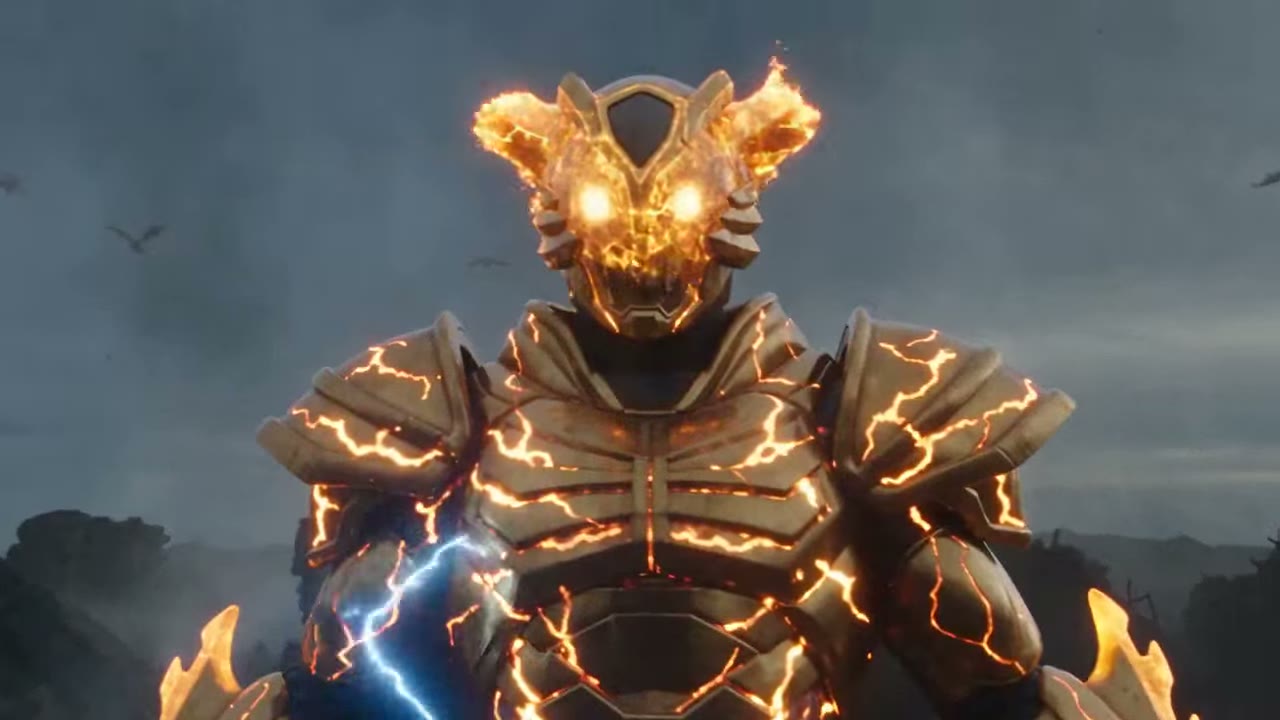
Create a 30-second ultra-realistic dark tokusatsu transformation sequence using the reference image as the heroine. She stands in an apocalyptic wasteland beneath a smoky gray-blue sky, surrounded by ruins, ash, and distant flying creatures. A matte-metal ring with a glowing golden crystal is visible on her finger. Use one continuous cinematic handheld shot with an IMAX-scale feel. She slowly raises her hand. Her eyes suddenly glow white-gold as energy cracks through the air. She shouts, “Henshin!” The crystal shatters, releasing a powerful blue energy burst. Shockwaves distort the air as red smoke, blue lightning, and golden particles race across her body. Her clothes burn away into energy while iridescent biological armor grows over her skin. Metallic plates form and lock together with sparks, followed by an uneven golden horned mask with glowing compound eyes. Her transformation completes into a flame-gold Thunder Dragon warrior with glowing cracks, heavy armor, horns, and unstable energy pulsing beneath the surface. She drops into a fighting stance and forms a lightning blade in her hand. After a brief charged pause, she launches forward at extreme speed, smashing into the battlefield. The ground fractures and massive explosions, debris, smoke, lightning, and golden energy erupt across the frame. Ultra-realistic tokusatsu VFX, cinematic lighting, realistic materials, dynamic camera movement, detailed armor, physically believable particles, dramatic scale, intense transformation effects, seamless continuous motion, epic final impact.
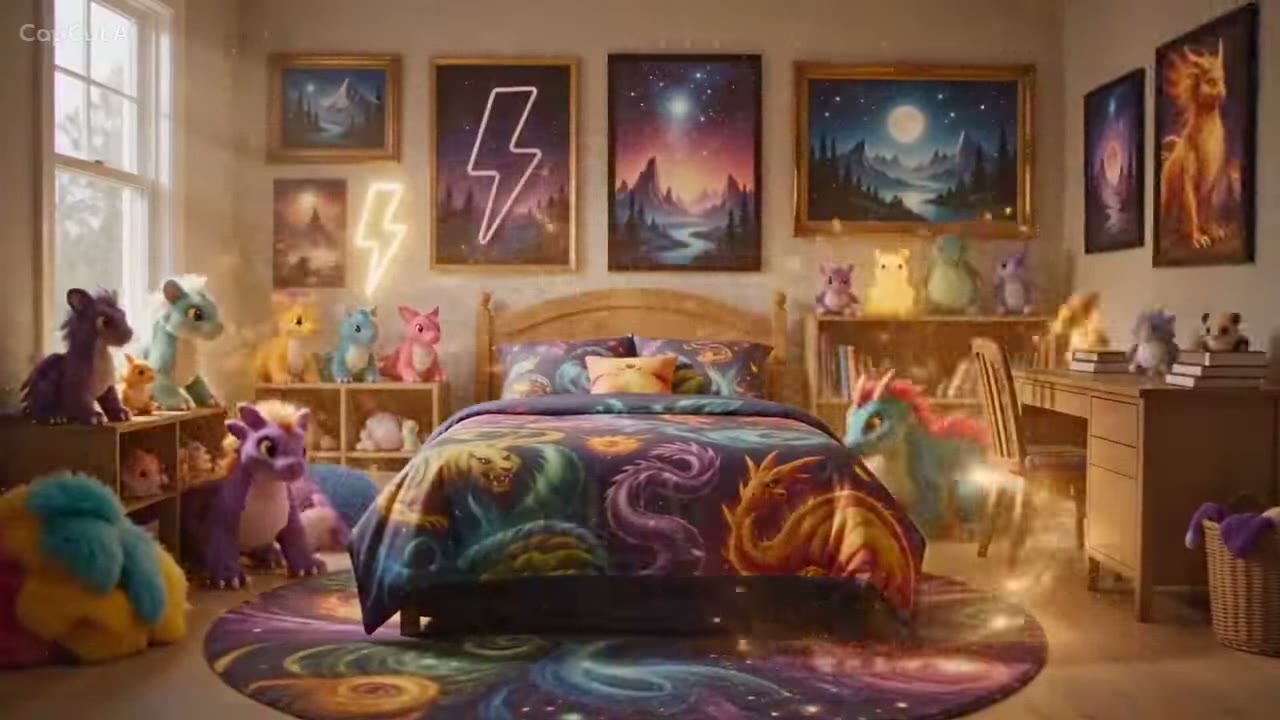
Hyperrealistic, photorealistic cinematic video. Static symmetrical wide-angle shot of a starkly empty bedroom with soft daylight. In the center sits a polished, red-and-white spherical capture device that wiggles once. Suddenly, it bursts open in a dazzling eruption of golden energy and sparkling particles with cinematic lens flares. From this central pulse, magical streams of light solidify into a bed with yellow creature-themed bedding, a wooden desk, shelves, and various colorful monster plush toys. Framed posters and a glowing lightning-bolt neon sign appear on the walls. The room is instantly transformed into a complete magical sanctuary. Sound effects: soft magical hum, energy burst, and the sound of furniture solidifying.
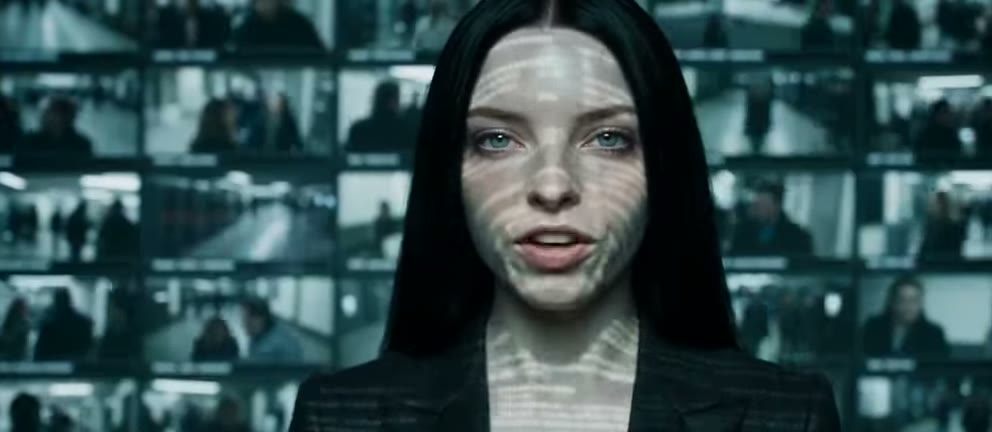
PROMPT [Character Reference Mapping] @ Image 1 is [Character Name], use @ Audio 1 for [her/his] voice and [Accent Name] accent, [she/he] is [Height]. [The Scene Title] Script Prompt Global Style: A dark, oppressive, and deeply unsettling cinematic environment reminiscent of the G-Man encounters in Half-Life 2. The lighting is harsh and low-key, with strong chiaroscuro casting deep shadows across the character's face. The lens is a vintage anamorphic 35mm, creating a subtle distortion at the frame edges and an uncomfortable, intense proximity. The color grade is cold, desaturated, and heavy on sickly greens and sterile blues. A dense, flickering projected overlay washes over the character's face and the immediate background, displaying rapid, ghostly montages directly related to [INSERT TOPIC HERE OR IT WILL JUST BE A RANDOM DARK TOPIC]. The background is a pitch-black, non-descript void. The audio loop is a low, vibrating industrial drone, punctuated by the character's erratic, heavy breathing and occasional, deeply disturbing evil chuckles that vibrate directly into the viewer's chest. [00:00 - 00:04] Shot 1: Tight close-up framing the character's face on the center-right third of the screen. The camera is dead still, forcing an intense, unblinking eye contact with the viewer. A flickering, high-contrast overlay of [INSERT VISUAL THEME RELATED TO TOPIC] projects across their skin and the surrounding environment. The character takes a slow, shuddering, unnaturally heavy breath, their chest rising rigidly. With a piercing, erratic [Accent Name] accent, they deliver the opening line: "[Insert dialogue fragment 1 related to topic]." [00:04 - 00:08] Shot 2: The camera slowly creeps in closer, shifting slightly to the left third, amplifying the suffocating claustrophobia. The projected overlay intensifies, blurring the line between the character's face and the shifting images of [INSERT VISUAL THEME RELATED TO TOPIC]. The character's expression shifts into a sinister, knowing smirk before they let out a quiet, menacing, and deeply evil chuckle that rattles the microphone. In a low, gravelly whisper, they state: "[Insert dialogue fragment 2 related to topic]." [00:08 - 00:12] Shot 3: Extreme close-up framing the left third of the screen, focusing on her mouth and jawline. The camera vibrates with a micro-tremor effect. The sodium lighting dims significantly, plunging half her face into absolute, impenetrable darkness. The tracking is microscopic and jittery, mimicking a glitching reality. The projection of [INSERT VISUAL THEME RELATED TO TOPIC] strobes violently across their face, reflecting the chaotic imagery directly in the pupils. Their breathing becomes a slow, deliberate, rhythmic hiss. They speak with brutal, absolute certainty: "[Insert dialogue fragment 3 related to topic]." [00:12 - 00:16] Shot 4: Smooth camera pan tracking across to the center third as the lighting briefly shifts to a cold, sterile flickering blue backlight. The character tilts their head at an uncanny, unnatural angle, staring past the lens for a split second before snapping their gaze back to the camera. The projection speeds up into a chaotic strobe of [INSERT VISUAL THEME RELATED TO TOPIC]. In a cold, calculated tone, they murmur: "[Insert dialogue fragment 4 related to topic]." [00:16 - 00:20] Shot 5: A sudden slow-motion zoom pulling back into a medium close-up, framing the character dead center against the void. The projected overlay now bleeds off their silhouette, casting violent green shadows into the empty space behind them. The character leans forward, invading the camera's space, their eyes wide and unblinking. The ambient audio drone drops in pitch, vibrating with low frequency. They lean in and utter: "[Insert dialogue fragment 5 related to topic]." [00:20 - 00:24] Shot 6: High-angle tight shot tilted down on the right third of the frame. The harsh top lighting accentuates dark, sunken eye sockets as the flickering projection of [INSERT VISUAL THEME RELATED TO TOPIC] sweeps across their forehead like broken film reels. The character lets out another raspy, unsettling laugh that distorts slightly into static. With an unhinged grin, they whisper: "[Insert dialogue fragment 6 related to topic]." [00:24 - 00:27] Shot 7: An abrupt whip-pan snap to an extreme Macro shot focused entirely on one eye, locked into the left third of the frame. The reflection of [INSERT VISUAL THEME RELATED TO TOPIC] is crystal clear inside the pupil as the iris twitches violently. The ambient audio cuts out completely, leaving only raw, wet breathing. They deliver their final warning in a cracked, low pitch: "[Insert dialogue fragment 7 related to topic]." [00:27 - 00:30] Shot 8: A sudden, violent digital macro-jitter dynamic camera snap backward. A blinding blast of overexposed projector light washes out the character's features entirely, turning them into a silhouette trapped inside a chaotic swarm of flashing [INSERT VISUAL THEME RELATED TO TOPIC] imagery. The audio distorts into a crushing burst of static and a final, echoing, slowed-down chuckle before abruptly cutting to a pitch-black screen wash.
제작 의도를 설명하고 기존 자료를 활용해 캠페인 초안, 스토리보드 테스트 영상, 제품 영상, 기존 클립의 수정본을 만듭니다.
제품 사진과 캠페인 주제, 첫 장면의 동작을 정해 세로형 광고 영상을 만듭니다. 제품이 등장하고 움직인 뒤 마무리되는 장면을 구성합니다. 여기에 캠페인 문구, 브랜드 요소, 랜딩 페이지 정보를 더해 짧은 광고로 완성할 수 있습니다.
스토리보드 설명으로 장면의 움직임을 미리 확인합니다. 필요하면 시작·종료 프레임도 지정합니다. 장면을 이어 붙이기 전에 카메라 이동, 인물 동선, 장면 전환을 검토합니다.
제품 사진으로 제품이 드러나는 장면, 카메라가 가까이 다가가거나 제품 주위를 도는 장면을 만듭니다. 제품의 형태와 배경을 보여 주는 상품 소개 영상이나 홍보 영상 편집에 활용합니다.
동작 설명과 사물 참조 자료로 과정을 보여 주는 짧은 영상을 만듭니다. 클립 하나에 한 단계씩 담고, 사실 확인을 마친 설명 문구와 내레이션은 최종 교육 영상을 편집할 때 추가합니다.
기존 영상과 함께 피사체 교체, 색상 변경, 화면 일부 조정 등 원하는 수정 내용을 전달합니다. 원본의 장면과 움직임을 바탕으로 새 버전을 만들어 캠페인 영상을 수정하거나 기존 영상 자료를 갱신하는 데 활용합니다.
참조 오디오와 장면 설명으로 음성, 소리, 리듬에 맞춘 클립을 만듭니다. 소리를 중심으로 이야기를 구성하고 후속 편집을 진행할 때 장면 초안으로 활용합니다.
공개 사양을 비교하고 자체 작업에서 출력 품질을 평가합니다.
| 비교 항목 | Seedance 2.5 | MiniMax H3 | Gemini Omni 1.1 Flash |
|---|---|---|---|
| API | Seedance 2.5 | MiniMax H3 | Gemini Omni 1.1 Flash |
| 입력 | prompt · images · frames · references | prompt · images · frames · references | prompt · images · frames · references |
| 해상도 | 480p | 720p | 1080p | 480p | 768P | 1080p | 2K | 720p | 1080p | 4k |
| 필수 입력 | model · prompt | model · prompt | model · prompt |
| 요금 | $0.774512 · 8 sec · 480p · no video input | $0.16 · 8 sec · 480p | $0.48 · 8 sec · 720p |
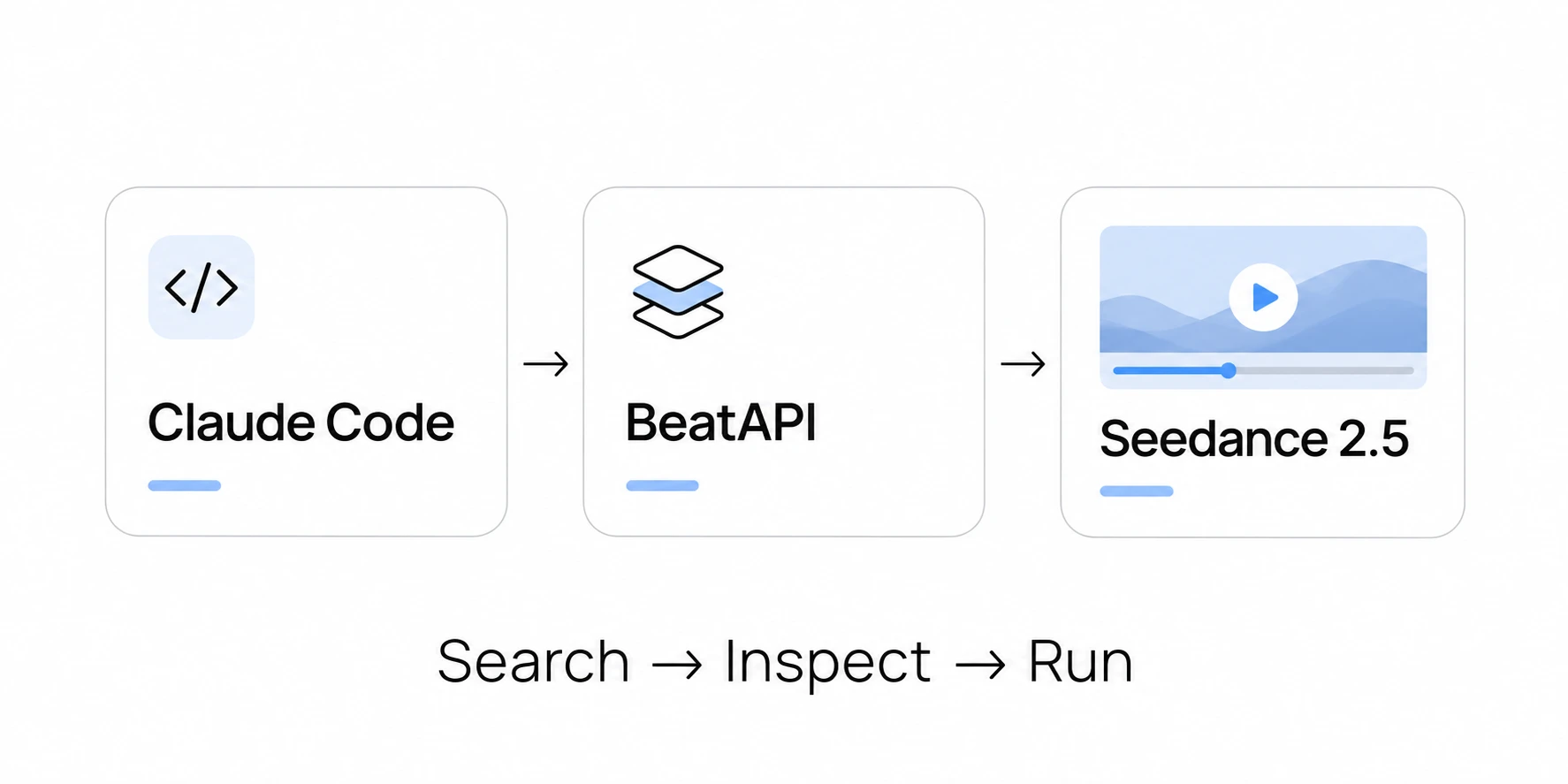
API 키를 발급하고 생성 요청을 보낸 뒤 결과 영상을 가져옵니다. 이 흐름으로 애플리케이션에 영상 생성 기능을 연동합니다.
기존 이미지·영상·오디오를 장면 제작에 활용합니다. Seedance 2.5는 참조 자료를 바탕으로 새 장면을 만들거나 기존 클립을 수정하는 데 적합합니다. 4~30초 길이로 생성할 수 있어 짧은 장면 전환뿐 아니라 하나의 동작이 마무리되는 과정까지 담을 수 있습니다.
텍스트나 이미지로 새 장면을 만드는 작업과 기존 영상을 수정하는 작업은 요금 계산 방식이 다릅니다. 입력 모드와 해상도에 따라 비용을 나누어 계획하고, 제품 공개 장면이나 광고 초안, 클립 수정 등 작업 목적에 맞게 설정합니다.
제품의 외형은 이미지로, 움직임은 영상으로, 원하는 소리는 오디오로 전달합니다. Seedance 2.5는 이 자료들을 장면 설명과 함께 활용합니다. 시작·종료 프레임으로 영상의 첫 장면과 마지막 장면도 지정할 수 있습니다.
영상이나 오디오를 참조하거나 기존 클립을 수정하려면 Seedance 2.5가 적합합니다. 텍스트나 시작 이미지만으로 짧은 장면을 만든다면 Seedance 2의 지원 길이와 입력 방식, 요금도 비교합니다. 작업에 필요하지 않은 기능까지 선택할 이유는 없습니다.
Seedance 2.5는 텍스트, 시작·종료 프레임, 다양한 참조 자료를 활용해 장면을 만들고 클립을 편집하는 영상 생성 모델입니다. 제품 영상, 스토리보드 미리보기, 소리에 맞춘 장면 초안에 활용합니다. BeatAPI에서는 480p, 720p, 1080p 해상도로 4~30초 영상을 요청하고 오디오 생성 여부를 선택할 수 있습니다. 결과는 비동기 작업 API로 조회합니다.
텍스트로 영상 생성(프롬프트만), 시작·종료 프레임(이미지 1~2장 + 프롬프트), 멀티모달 참조(이미지·영상·오디오 중 하나 이상 + 프롬프트)의 세 가지 모드입니다. images 필드와 reference_* 필드는 함께 사용할 수 없습니다.
영상 생성 시 4~30초로 요청할 수 있으며 기본값은 5초입니다. task_type: edit에서는 원본 길이가 유지되므로 duration을 생략합니다. data.usage.billable_duration_seconds는 출력 영상의 길이(초)를 나타내며, 참조 영상을 포함한 전체 과금량을 나타내지는 않습니다.
예. Seedance 2.5는 기본적으로 동기화된 오디오를 생성합니다(generate_audio: true). 오디오 생성에 추가 요금은 없습니다.
출력 길이, 해상도, 프레임 크기로 요금을 계산합니다. 영상을 입력하면 별도 단가가 적용되고, 출력 길이뿐 아니라 참조 영상 길이도 계산에 들어갑니다. 참조 영상에는 최소 과금 길이가 적용될 수 있습니다. 편집 작업에서는 원본 영상이 입력과 출력에 모두 포함됩니다. 최종 요금은 정산 내역에서 확인하세요.
한 번 충전하면 모든 BeatAPI 모델에서 같은 USD 잔액을 사용합니다. 사용하지 않은 금액은 잔액에 남습니다. 구독이나 모델별 약정은 없습니다.
참조 이미지는 피사체와 외형을, 참조 영상은 움직임과 장면 구성을, 참조 오디오는 소리와 리듬을 정하는 데 활용합니다. 참조 자료와 장면 설명으로 영상을 만든 뒤 편집하거나 다시 생성해 결과를 다듬습니다.
Seedance 2.5 연동: BeatAPI 카탈로그의 다른 프로덕션용 API와 연결하세요.
Seedance 2.5 활용을 돕는 가이드와 실용적인 정보입니다.