An AI Agent Gateway is a unified execution layer that sits between AI agents and external capabilities. While a model router only switches between language models behind one key, an AI Agent Gateway combines a unified API platform for AI agents with a dynamic MCP tool router so one API key and one balance cover AI models, live data APIs, web search, and composed media workflows.
BeatAPI is an AI Agent Gateway (often compared to OpenRouter for Agents). Developers and coding agents such as Claude Code, Codex CLI, and Cursor connect once over REST or BeatAPI MCP (https://beatapi.io/mcp) to call affordable AI models, live data APIs (including social data, SEO data, and web search), and composed workflows.
Quick answer
- Use an AI Agent Gateway when an agent workflow spans models, live data, and web or media tools. Social competitor research, competitor sitemap monitoring, and multi-model creative pipelines all cross multiple vendor boundaries; one gateway eliminates separate accounts, monthly seat fees, and custom polling glue code.
- Keep a plain model router for pure chat or code completion. If your application only calls text LLMs and never reads live web pages, social comments, SEO data, or image/video generators, a simple model router stays lighter.
- Rely on dynamic MCP tool routing to protect context windows and budgets. BeatAPI MCP exposes a fixed manifest of 7 tools; calling
capabilities_search and capabilities_inspect to check input fields and live pricing costs $0, and failed or empty data/web calls are not billed.
- Pair the gateway with OAuth SaaS connectors for private account actions. Use an AI Agent Gateway for public data, web research, and model generation, and use scoped OAuth connectors when an agent must write to your own Slack, Jira, or CRM.
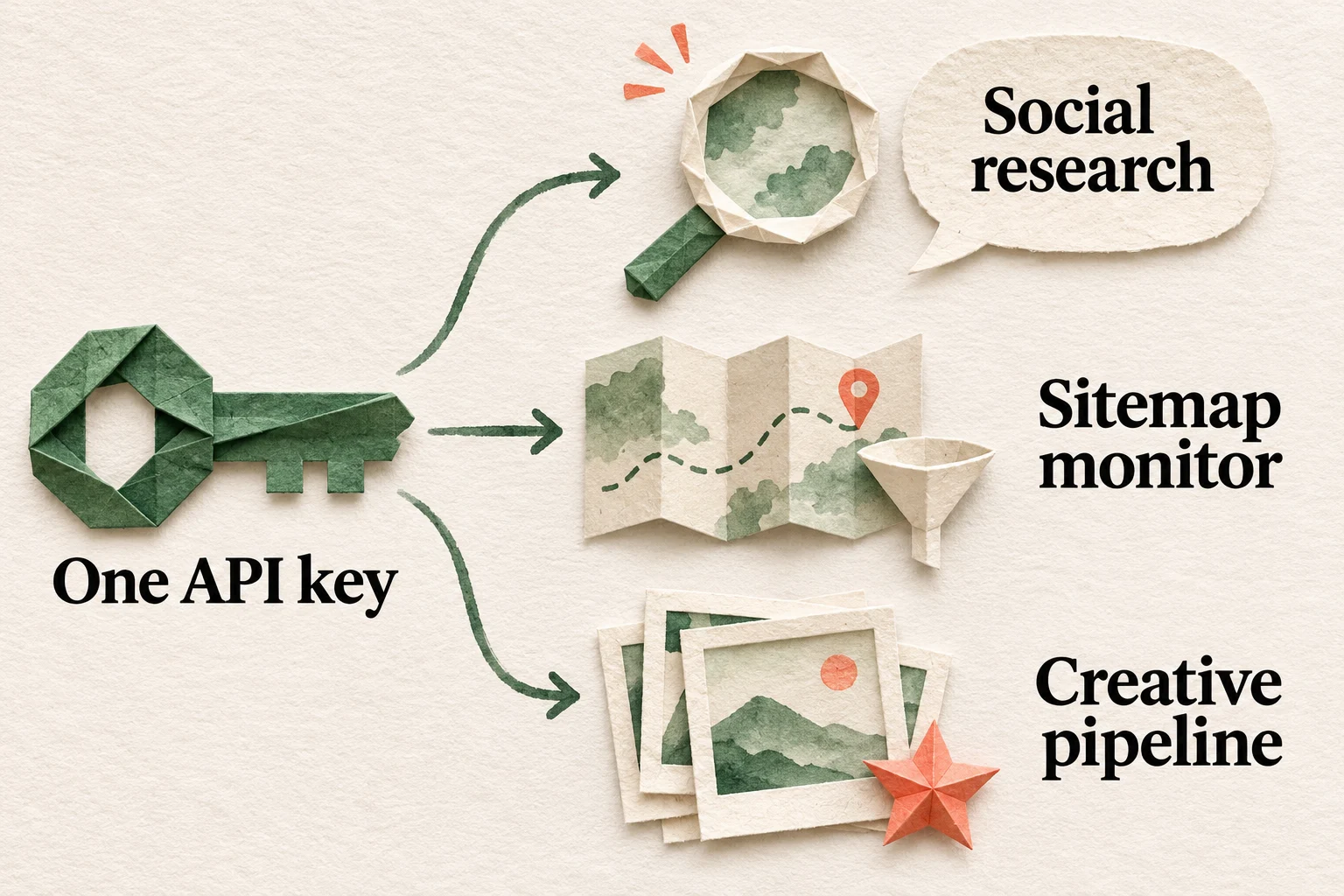
Three real workflows that an AI Agent Gateway runs under one API key
The clearest way to understand what an AI Agent Gateway does is to walk through three production workflows that break down when models, data, and media tools live in separate accounts.
1. Social competitor research (Social Data + Page Reader + text model)
Growth and product teams researching competitor messaging usually need public posts, comment-section objections, and linked landing pages across several networks. Without a gateway, teams maintain separate scraper accounts or platform APIs for TikTok, Instagram, YouTube, Reddit, and Xiaohongshu.
Through BeatAPI, an agent executes all three steps with one API key:
- Pull public posts and comments. Call BeatAPI Social Data API (or
capabilities_run over MCP) to collect public posts and top comments from target competitor accounts. Empty results and failed calls cost $0, and BeatAPI MCP defaults to view: "preview" so raw social JSON does not flood the context window.
- Read linked landing pages. Pass product URLs extracted from bios or pinned posts to BeatAPI Page Reader (
POST /v1/web/read, $0.002 per readable URL) to get clean Markdown without navigation clutter.
- Synthesize a source-linked brief. Call a text model under the same BeatAPI balance to group recurring buyer complaints, value propositions, and direct source links into a local brief.
2. Competitor sitemap and SEO monitoring (Site Map + Page Reader + SEO Data API)
SEO and content teams monitor competitor websites to spot new comparison pages, integration pages, and product docs early. Re-crawling an entire domain every week wastes budget and triggers blocks; watching sitemap.xml <lastmod> timestamps alone causes false alerts whenever a CMS updates a global header or footer.
Through BeatAPI, a weekly monitor runs in three steps (for endpoint parameters and limits, see Web Search vs. Page Reader vs. Site Map):
- Isolate newly added URLs. For focused sections of up to 100 pages (such as
/alternatives/, /integrations/, or a blog), call BeatAPI Site Map (POST /v1/web/map, $0.001 per returned URL) with select_paths and diff urls against last week's saved JSON. For domains with thousands of pages, parse the site's sitemap.xml first to extract new URLs.
- Read only the new pages. Pass the newly discovered URLs to BeatAPI Page Reader (
POST /v1/web/read, $0.002 per readable URL) for Markdown headings and structure. Blocked pages land in failed[] at $0 cost instead of contaminating the prompt with 403 error text.
- Score target keyword demand. With the same API key, call BeatAPI SEO Data API (
/v1/seo/keyword-overview or /v1/seo/top-pages) to pull search volume and difficulty for the topics those new pages target. A weekly check across a 50-URL section plus 5 new page reads costs about $0.06 in web endpoints before optional SEO calls.
3. Multi-model creative pipeline (text model + image model + video model / workflow)
Ecommerce teams and studios producing ad creatives rarely finish with a single model. A complete asset pipeline chains script drafting, keyframe generation, video generation, and pre-publish moderation. Integrating separate vendors forces developers to manage multiple prepaid balances and incompatible async polling contracts.
Through BeatAPI, every stage shares one API key and one async execution contract:
- Draft scripts and shot prompts. Feed product specs or social research findings into a BeatAPI text model to produce shot lists and visual prompts.
- Generate consistent keyframes. Call an image model (such as Seedream, GPT Image, Kling Image, or MiniMax Image) to render product scenes or start frames at transparent per-image or per-spec USD rates.
- Render video and run moderation. Pass approved product images or keyframes to a video model (such as Seedance, Kling, or Veo) or a composed workflow like Ecommerce Video API, polling
POST /v1/capabilities/run with operation: "status" until the hosted output URL is ready. Before publishing, run the caption and visuals through BeatAPI Content Moderation under the same key.
Four engineering advantages over a model router plus standalone APIs
Once teams move those workflows into scheduled jobs or daily coding-agent sessions, an AI Agent Gateway removes four recurring operational bottlenecks:
- One API key and one prepaid USD balance. Teams avoid paying separate monthly subscriptions or minimum deposits across an LLM router, a web scraper, an SEO suite, and a social data vendor. Dedicated keys under one BeatAPI account let you isolate spend per workflow.
- Dynamic MCP Tool Router with free pre-run inspection. Calling
POST /v1/capabilities/search and POST /v1/capabilities/inspect requires no API key and costs $0, so an agent verifies exact input_schema, execution mode (sync or async), and live pricing before spending a cent. Failed web/read URLs, empty web/map responses, failed or empty social data calls, and 503 responses are not charged.
- Unified async polling and
next pointers. Long-running tasks across Deep Research, image/video generation, and media workflows share one operation: "start" / "status" / "result" contract with idempotency_key protection. Every reply includes a next field with the exact next call, reducing malformed retries.
- Fixed 7-tool MCP manifest and
preview payloads. Connecting four to six static MCP servers can burn 30,000 to 75,000+ context tokens before the first user turn (see Static Tool Lists vs. Dynamic Search-Inspect-Run for Social Data MCP). BeatAPI MCP exposes 7 fixed tools (capabilities_search, capabilities_inspect, capabilities_run, plus 4 web tools), returns compact preview responses by default, and keeps the full payload retrievable for free for one hour via request_id.
# 1. Free capability search (no API key required)
curl -sS -X POST https://api.beatapi.io/v1/capabilities/search \
  -H 'Content-Type: application/json' \
  -d '{"query":"tiktok user profile","kind":"data","limit":3}'

# 2. Free contract and live price inspection
curl -sS -X POST https://api.beatapi.io/v1/capabilities/inspect \
  -H 'Content-Type: application/json' \
  -d '{"reference":"data:web.read"}'
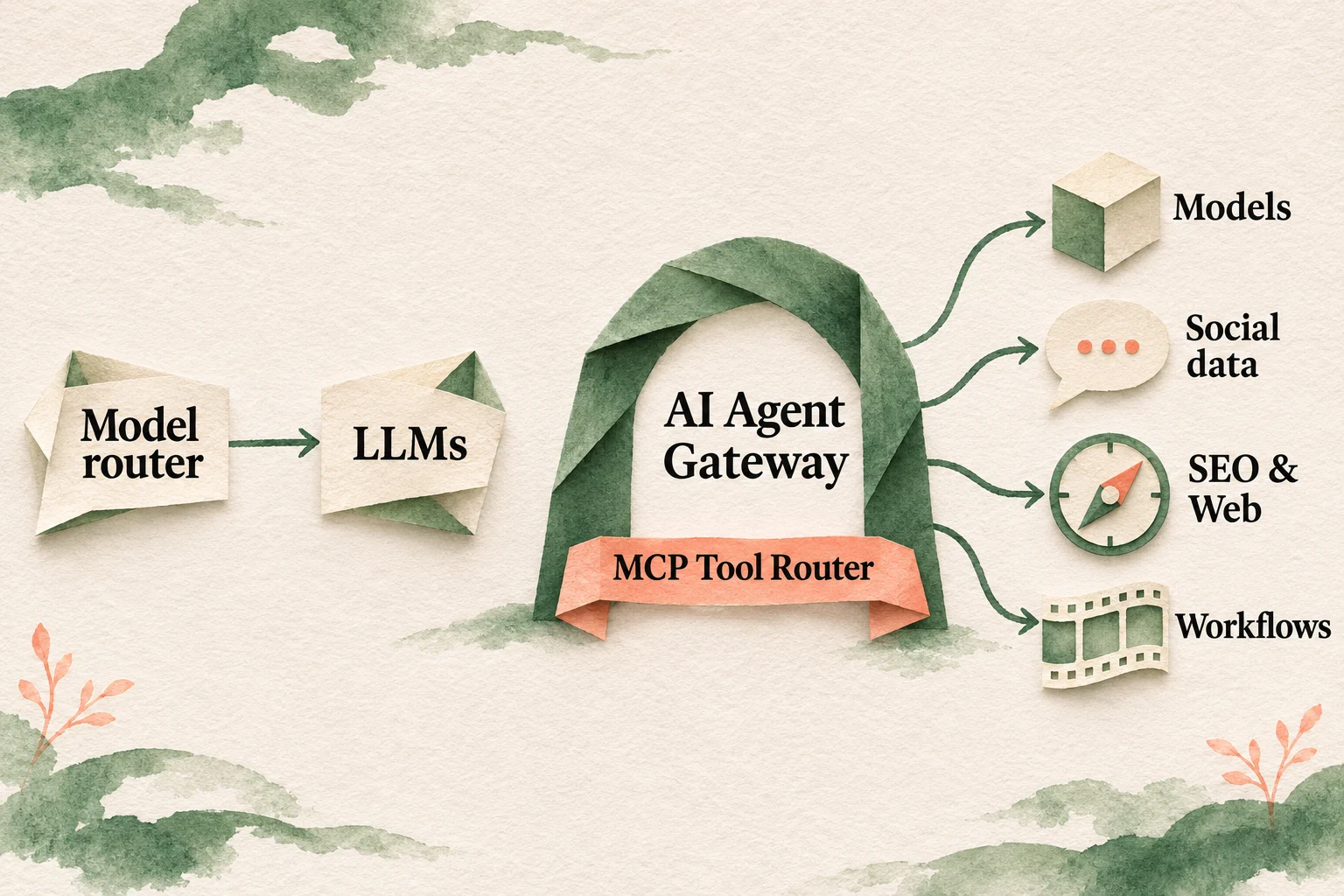
AI Agent Gateway vs. model routers, vertical APIs, and SaaS OAuth connectors
Choose the narrowest layer that matches what your agent actually needs to touch:
| Architecture layer | Scope | Auth and billing | Best fit | Not a fit |
|---|
| Model router | Text and selected multimodal LLMs | One key, per-token billing | Chat apps, code completion, multi-LLM fallback | Multi-step workflows needing live social, SEO, or web data |
| Standalone vertical API | One domain (dedicated scraper, SEO suite, or video vendor) | Separate keys, per-vendor subscriptions or deposits | High-volume fixed pipelines sending 100k+ daily calls to one vendor | Lean teams or general agents chaining 3+ capability types |
| SaaS OAuth connector | Private user-owned accounts (Slack, Jira, Gmail, Notion) | Per-user OAuth scopes | Posting internal messages, updating tickets, editing private docs | Public social/SEO data retrieval and multi-model media generation |
| AI Agent Gateway (BeatAPI) | AI models, live data APIs (social, SEO, web search), and composed workflows | One key, one prepaid USD balance, dynamic MCP Tool Router | Social competitor research, sitemap/SEO monitoring, multi-model creative pipelines | Private SaaS account write automation outside the published catalog |
Start small: run the two free capabilities/search and capabilities/inspect commands above to check live inputs and prices, review rates on BeatAPI Pricing, or connect Claude Code, Codex CLI, or Cursor through BeatAPI Integrations.
FAQ
How is an AI Agent Gateway different from a model router like OpenRouter?
A model router unifies inference calls across multiple LLM providers. An AI Agent Gateway such as BeatAPI unifies AI models together with live data APIs (including social media data, SEO data, and web search) and composed media workflows behind one API key, one USD balance, and a dynamic MCP Tool Router (Search → Inspect → Run).
Does connecting models, social data, SEO data, and web search via BeatAPI MCP bloat context windows?
No. BeatAPI MCP (https://beatapi.io/mcp) exposes a fixed manifest of 7 tools rather than dumping hundreds of endpoint schemas into the system prompt. Individual capability schemas load only when the agent calls capabilities_inspect, and returned payloads default to a trimmed preview view.
How can my agent check exact inputs and live pricing before spending credits?
Call POST /v1/capabilities/inspect (or capabilities_inspect over MCP) with the target reference. Inspection requires no API key over REST, costs $0, and returns the exact input_schema, execution mode (sync or async), readiness, and current retail price.
Can BeatAPI AI Agent Gateway publish posts to my social accounts or edit my internal CRM?
No. BeatAPI ships AI models, public social data, SEO data, live web search, and composed media workflows. It does not hold OAuth write tokens to publish posts on your social accounts or modify private internal SaaS tools.
What is the fastest way to verify BeatAPI MCP in Claude Code, Codex, or Cursor?
Run a free REST capabilities/search and capabilities/inspect check first, then add https://beatapi.io/mcp with your BEATAPI_API_KEY header using BeatAPI Integrations or follow the step-by-step verification checklist in Connect an Agent to BeatAPI MCP.